Difference between revisions of "File:Apptab.png"
From DIQA-Homepage
(1. In the configuration page of the Easy Tagging App: click on the "Predictors & Taggers" tab 2. Click on the link "Click here to connect to IDAS") |
(No difference)
|


Latest revision as of 10:34, 29 September 2020
1. In the configuration page of the Easy Tagging App: click on the "Predictors & Taggers" tab 2. Click on the link "Click here to connect to IDAS"
File history
Click on a date/time to view the file as it appeared at that time.
| Date/Time | Thumbnail | Dimensions | User | Comment | |
|---|---|---|---|---|---|
| current | 10:34, 29 September 2020 | 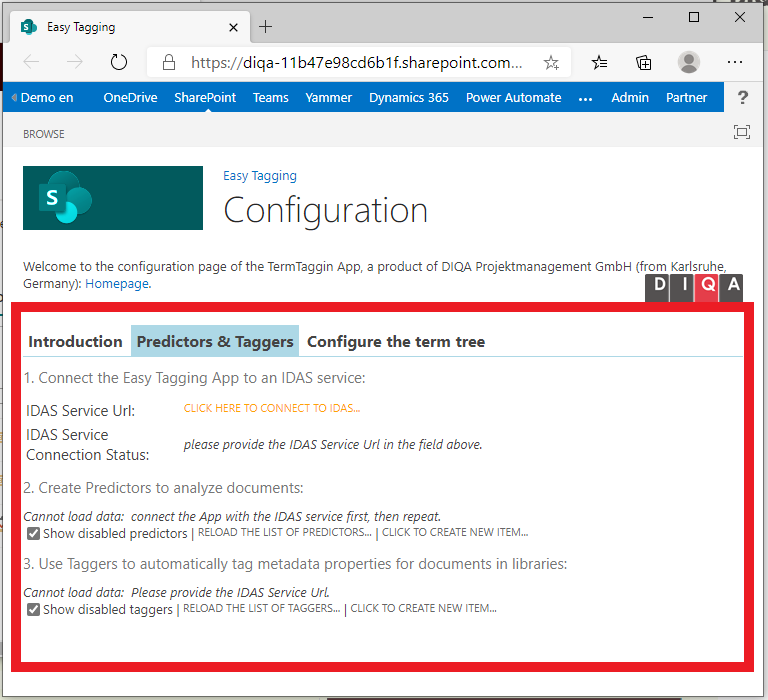 | 768 × 700 (57 KB) | WikiSysop (talk | contribs) | 1. In the configuration page of the Easy Tagging App: click on the "Predictors & Taggers" tab 2. Click on the link "Click here to connect to IDAS" |
- You cannot overwrite this file.
File usage
There are no pages that link to this file.
